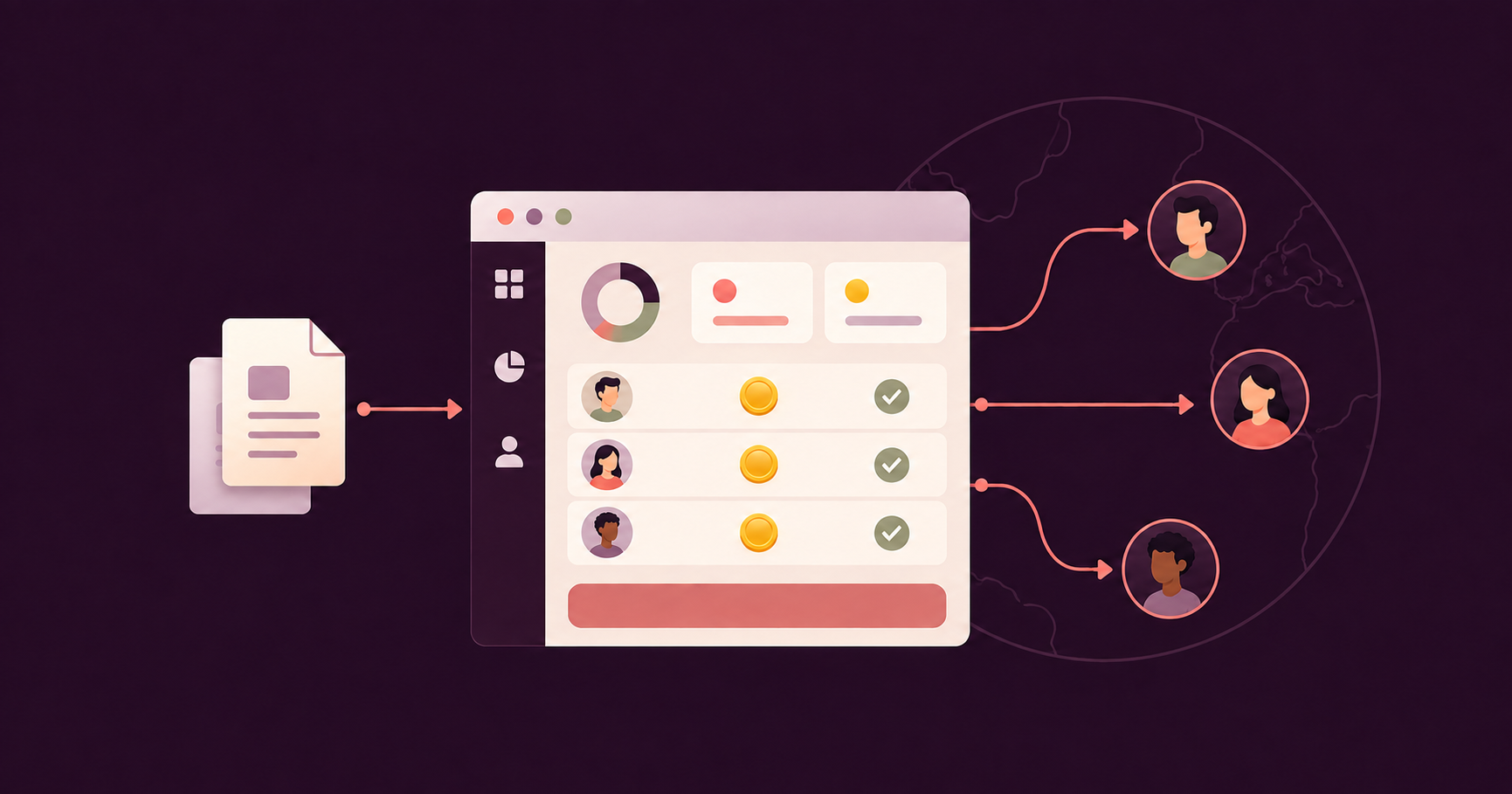

There’s a piece of software called LazyWork.
It costs less than the time-tracking, screenshot-taking, anti-mouse-jiggle tool you’re about to buy.
It has a seven-day free trial. No credit card required.
Its entire purpose is defeating you.
LazyWork advertises compatibility with 15+ tracking platforms by name: Hubstaff, Time Doctor, Monitask, ActivTrak, DeskTime, even Upwork’s built-in tracker.
It doesn’t just fake mouse movement. It simulates app switching and scrolling, so every screenshot your software captures looks different.
- Varied
- Natural
- Active
It markets itself as undetectable. It stays out of application tracking lists. Your dashboard shows a focused, productive worker.
And it’s the premium option.
The budget version is a $15 USB dongle from Amazon called a mouse jiggler. It plugs into a port, physically simulates movement, installs nothing, and leaves zero trace in system logs.
Software can’t see hardware.
Go look at that listing…
The word “Undetectable” is in the product title.
They’re not hiding what it’s for.
It’s a selling point, printed right on the box, with free delivery.
Now the numbers.
One in 6 employees is already using a mouse jiggler.
Another 12% say they want to start.
Sales of these things jumped 400% in 2020 and never came back down.
And here’s the kicker: those numbers are published on the blog of a monitoring software company.
The vendors themselves are documenting that a quarter of the people they watch are faking it or planning to.
Wells Fargo — a bank with a security budget larger than most companies’ revenue — fired more than a dozen people in its wealth management division for simulating keyboard activity.
That’s the part that should stop you.
The people with the most money and the most sophisticated detection in the world are losing this fight to a gadget that costs less than lunch.
So the monitoring vendors escalated. Teramind now sells AI-powered anomaly detection.
Time Doctor sells “Benchmarks AI.”
You pay for round one of surveillance, get beaten by a dongle, and then pay again for round two.
The Economics of Surveillance Make Even Less Sense
Here’s the math that ends the argument.
You pay roughly $10-12 per seat, per month, forever — plus the AI add-on, plus your own time reviewing the output.
They pay $15. Once.
You cannot win an arms race where every round costs you more than it costs them, and the other side only has to buy the weapon one time.
I run HireUA.
We’ve placed over 1,100 people across 35 countries — Virtual Assistants, Executive Assistants, Developers, sales reps.
I have skin in exactly this game: my entire business depends on remote people doing real work for clients who can’t see them.
And I’m going to spend this article talking you out of the time tracking software for Virtual Assistants you came here to buy.
Then, at the end, if you still want to ignore me — I’ll tell you which 2 tools to use.
But you don’t get the list until you’ve heard the argument.
TLDR
- Time tracking software for virtual assistants often acts as a surveillance tool rather than a simple hours tracker.
- Products like LazyWork and hardware mouse jigglers make it easy to defeat tracking software, which can backfire on honest employees.
- Effective accountability requires measuring outputs and inputs, not just tracking time spent at a desk.
- Self-reported time tracking tools like Toggl Track and Harvest allow workers to log their hours without invasive monitoring.
- Building a role scorecard for employees focuses on deliverables rather than time, promoting a healthier work relationship.
Table of Contents
- Two Completely Different Products Are Sold Under One Name
- Nobody Is Reviewing the Screenshots. Including You.
- The Thing You’re Actually Afraid Of? The Software Can’t See It.
- Surveillance Only Catches the People Who Were Never Going to Cheat You
- The Efficiency Penalty: Your Best Hire Looks Like Your Worst
- The Person Who Tells You They Have Bandwidth
- What Happened to Me at Hitachi
- The Equipment Rule
- What to Measure Instead : Inputs, Mechanism, Outputs
- What Accountability Actually Looks Like: A Real Onboarding Week
- When Clients Ask Us for Screenshot Monitoring
- Okay, You’re Going to Ignore Me. Here Are the Two.
- Time Tracking Software for Virtual Assistants: FAQ
- The Bottom Line
Two Completely Different Products Are Sold Under One Name
The phrase “time tracking software for Virtual Assistants” covers 2 products that have nothing to do with each other.
Product one: time tracking.
A log of hours. Someone presses start, works, presses stop. Or types in “4.5 hours, client onboarding” at the end of the day.
The output is a timesheet. Boring. Occasionally useful. Harmless.
Product two: behavior monitoring.
- Screenshots of their screen every few minutes
- A percentage score built from keyboard and mouse activity
- A log of every website and app they touched
- Idle-time flags
- “Unusual activity detection”
The second product wears the first product’s name.
That’s the trick.
You go looking for a timesheet and get sold a surveillance system.
The sales page says “time tracking” in the headline and then lists the features underneath: screenshots, activity rates, app and URL logging, idle detection.
One of the biggest vendors in this space promises — in its own navigation menu — visibility into how work time is spent “without micromanagement.”
The features listed directly below that promise: employee monitoring, activity tracking, screenshots, idle time tracking, app and URL usage.
Without micromanagement.
Sure.
And my favorite detail: every major vendor in this category has a paragraph somewhere insisting they are “not a keylogger.”
All of them.
Word for word, practically.
Nobody writes that defense unless people keep making the accusation.
Nobody Is Reviewing the Screenshots. Including You.
Let’s say you buy the surveillance tier of time tracking software for Virtual Assistants anyway.
Here’s what you actually own:
At the default setting, the software captures a screenshot every 10 minutes. That’s 48 images per day. Roughly 240 a week. Around 1,000 a month. Per person.
Some tools go further — screenshots every 3 minutes, or continuous screen video chopped into three-minute clips.
Who reviews them?
Not the software.
The automated part is app classification — you tag Facebook as “unproductive” and Gmail as “productive,” and the tool scores time against your tags.
The screenshots themselves just pile up in a dashboard, waiting for a human.
And the only human qualified to judge whether a given screenshot represents useful work for YOUR business… is you.
Sit with that.
You hired a Virtual Assistant to get hours of your life back.
The software’s output is 1,000 monthly images that mean nothing until a founder, a CTO, a hiring manager — someone whose time is worth hundreds of dollars an hour — sits down and looks at pictures of somebody else’s desktop.
Nobody does this.
Which means one of two things is true, and both are bad.
Either you never look, and you’re paying every month for a pile of images nobody opens while your VA works under a camera for no reason.
Or you do look, and you’ve given yourself a new daily job.
You are now a security guard watching a monitor.
Congratulations on the hire.
The Thing You’re Actually Afraid Of? The Software Can’t See It.
Let’s be real about the fear underneath this purchase.
You’re not worried about your VA taking a long lunch. You’re worried she has another job.
Two clients, two paychecks, your work getting half her attention.
Here’s what the surveillance vendors don’t put on the pricing page: screenshot monitoring does nothing about that.
Nothing.
The software only exists on the machine it’s installed on. A second laptop sitting on the same desk is invisible.
There are entire websites — one is literally called Overemployed Toolkit — teaching people how to run multiple remote jobs, and step one is exactly what you’d guess: separate machines.
It gets better.
If your VA has 2 clients and both of you require trackers, she runs both trackers on the same schedule. Both dashboards show green activity. Both employers feel informed.
Neither of you knows a damn thing.
The software watches one machine.
The job you’re worried about is happening on the other one.
Surveillance Only Catches the People Who Were Never Going to Cheat You
“But Kyle, my VA in Cebu isn’t sophisticated enough to run countermeasure software.”
It’s one piece of software. Or it’s a USB dongle. The free options sit on the Microsoft Store and install in under 2 minutes.
There are step-by-step guides.
She is sophisticated enough.
Everyone is sophisticated enough.
But the deeper point is that her sophistication doesn’t matter, because of who these tools actually catch.
Think about the two people on your payroll.
Person A is dishonest.
Willing to bill you for hours she didn’t work. By definition, she’s also willing to spend 2 minutes installing the thing that beats your tracker.
She was beating you before you installed it and she’ll beat you after.
Person B is honest.
Does the work, bills the truth.
She’s also having a slow Tuesday, because humans have slow Tuesdays.
The tracker flags her activity dip. She gets a weird message from you asking about her “productivity score.”
And here’s what Person B learns: a slow Tuesday is dangerous.
Reading is dangerous.
Thinking is dangerous — the activity score can’t see thinking, only typing.
So Person B starts jiggling too. Not to steal from you. To protect herself from a metric that punishes the parts of work that don’t involve touching a keyboard.
The surveillance never catches the thief.
It converts the honest.
That’s the trade every time tracking software for Virtual Assistants actually makes.
The Efficiency Penalty: Your Best Hire Looks Like Your Worst
Here’s the scenario that should make you delete the trial before it starts.
You budget 8 hours for a recurring process. You hire well. Your VA — because she’s sharp — figures out how to do it in 2.
What does the tracker report?
- 6 hours of idle time
- A collapsed activity score
- A flag
The software just took the best possible hiring outcome — you found someone so good she needs 25% of the time you allotted — and reported it to you as a problem.
You have built a machine that penalizes your best employee for being excellent, and rewards the mediocre one who stretches 4 hours of work across a full day of vigorous, trackable mouse movement.
“But I’m paying for 8 hours. I want my other 6.”
I get it.
But notice what that objection reveals: it’s only theft if you bought hours.
If you bought a role — a set of outcomes, a scope of responsibility — then finishing early is pure upside.
Same employee, same performance, opposite verdict. The only thing that changed is how you structured the deal.
And what do you do with the six hours?
You give her more responsibility.
Which brings me to the only person who can actually solve the bandwidth problem.

The Person Who Tells You They Have Bandwidth
My Operations Manager got promoted recently.
You know how that started?
She was doing an excellent job recruiting. And one day she came to me and said: “I have bandwidth. Do you have anything else I can do?”
That sentence.
That’s the whole thing.
If you hire the right person and treat them like a professional, they’re invested. They tell you when there’s slack.
You hand them more, they grow, you promote them, everybody wins.
This is not a hypothetical — it’s how it has worked for me repeatedly, across years of placements and my own team.
Now ask yourself.
Does the person you installed screenshot software on ever walk into your office — even a virtual one — and volunteer that they have spare capacity?
Never.
You told them on day one, with a software install, that the relationship is adversarial. So they act accordingly.
- They protect their downside
- They manage your dashboard instead of your business
If someone takes a process that eats 10 hours and comes to you saying “boss, I got this down to one” — are you going to punish that person for improving efficiency by 90%? Do you see how insane that sounds?
You WANT that person.
You need to reward it.
Congratulations, you found the employee everyone else is trying to hire.
Reward it, and they’ll go find the next 10 hours to kill.
Flag it as idle time, and they’ll never tell you anything again.
I know this one from the inside, because I’ve been Person B.
What Happened to Me at Hitachi
Before HireUA, I was a support engineer at Hitachi.
I was the number one performer on the team. Consistently closing 8 to 10 cases a day.
The team average was 3.
I wasn’t padding anything. The case count was the case count — measured, logged, visible. Real output, real numbers, nowhere to hide and nothing to fake.
Exactly the kind of measurement I’m going to recommend to you in a minute.
Then the politics started…
- Management decided recognition should be spread around
- Employee of the month started rotating
- Rewards became participation trophies, handed out in a circle so nobody’s feelings got hurt
- The guy closing 3 cases got the same pat on the back as the guy closing 10
And I remember the exact thought: “Why am I not getting rewarded for being three times better at this job? Why am I bothering?”
So I stopped bothering.
I started screwing around.
The number one engineer on the team downshifted to somewhere around average, on purpose, because the company told me — through its incentives, which are the only language that matters — that excellence and mediocrity paid the same.
Here’s why that story belongs in this article.
The measurement was perfect. The output was tracked flawlessly. And none of it mattered, because the incentives were broken.
No tracker caused my slowdown and no tracker on earth could have prevented it. No time tracking software for Virtual Assistants would have caught it either.
Your VA’s motivation lives in exactly the same place mine did.
Not in the dashboard.
In whether being great at the job is worth anything.
The Equipment Rule
Now, one honest carve-out. Here’s where I actually stand on monitoring, as a principle:
If you bought the laptop, you can watch the laptop.
Company hardware, company rules. Install whatever you want. The candidate can take the job or not take it — that’s a clean, honest deal, disclosed up front.
But if it’s her own personal machine?
Come on.
That laptop has her banking open in one tab. Photos of her kids in another. It’s her property and her life, and you’re asking to install software on it that captures everything.
So the principled path exists: buy the hardware, earn the right.
Why the “Honest Route” Still Doesn’t Work
Want to know why almost nobody walks through that door?
Because we’ve placed 1,100+ people around the world, and we don’t ship equipment to anyone.
Not one.
Part of the entire point of hiring globally is not having those headaches — and shipping laptops is the headache to end all headaches.
You will never get that laptop back.
Picture the return trip: your former VA in Manila, standing in a FedEx line, dealing with customs forms and international freight to ship a three-year-old ThinkPad to Los Angeles.
It’s never going to happen. That machine is gone the moment it clears customs the first time.
If you ever feel the urge to buy someone equipment, just give them a monetary bonus and let them buy their own. Better for them, zero logistics for you.
So follow the logic all the way down.
The only legitimate route to monitoring is company hardware.
Company hardware is a logistics disaster you hired globally to avoid. Which means for the overwhelming majority of people reading this, there is no legitimate route.
The door exists.
There’s just nothing behind it.
What to Measure Instead: Inputs, Mechanism, Outputs
“Fine, Kyle. No screenshots. So how do I know they’re working?”
You measure the work.
Every layer below does what time tracking software for Virtual Assistants pretends to do, and does it honestly. Every role — every single one — can be measured on 3 layers.
Layer one: inputs.
The activities the person fully controls.
Hold these hard.
Binary. Done or not done.
Layer two: mechanism.
The evidence that the inputs were real, not theater.
Layer three: outputs.
The results.
The person only partially controls these — so you hold them to a range, not a single number. Punishing people for things they can’t fully control is how you end up with a team of dashboard managers.
Here’s how that works with my own sales rep, hired a few weeks ago.
Inputs: 75 dials a day. 15 LinkedIn connects. 15 emails. All activity logged.
Every one of those is a checkbox — he did it or he didn’t, and no screenshot is required to know which.
Mechanism: talk time. Connect rate — how many of those dials turned into actual conversations.
This is what makes the dials real.
You can fake 75 dials by calling and hanging up. You cannot fake 3 hours of talk time.
Outputs: meetings booked per month. Deals closed. Revenue brought in.
He doesn’t fully control these — the market gets a vote, lead quality gets a vote — so the standard isn’t a single number.
It’s a band.
Results should land within a standard deviation of target.
Consistently under the band with clean inputs? We look at skills, script, and lead quality together.
Inputs missing too? Different conversation entirely.
Even “Unmeasurable” Work Has a Number
Now the harder case — the one everyone hides behind.
“Sure, dials are countable. But my VA just manages my inbox and calendar. That’s not measurable.”
The hell it isn’t.
Most people never even try. Their entire evaluation is “it feels managed.”
Count two numbers.
Emails in. How many messages hit the inbox per day.
Emails escalated. How many needed you — your judgment, your reply, your decision.
That ratio is the job.
If 200 emails arrive daily and 40 land on your desk, your VA is a filter catching 80%.
And here’s the real metric: that escalation number should fall, month over month, as she learns your business, your clients, and your judgment.
40 becomes 25.
25 becomes 12.
Two numbers.
Anyone can check them in four minutes on a Friday.
No screenshots, no activity scores, no photographs of anyone’s desktop.
The output tells you everything the surveillance pretends to.
What Accountability Actually Looks Like: A Real Onboarding Week
Theory is cheap, so here’s practice.
This is the actual structure of my sales rep’s first weeks at HireUA — pulled from our onboarding system, lightly trimmed.
Day one — onboarding
- Review the Getting Started page and Core Values
- Familiarize yourself with the Sales Hub, the website, and case studies
- Familiarize yourself with Pipedrive
- Start reading 10,000 Interviews (my book — yes, it’s required reading)
- Make 30 dials. Send 5 LinkedIn connects. Send 5 emails. Log all activity.
- Ask 3 business questions. Ask 1 personal question.
Understanding our service and clients
- Learn the pricing policy
- Review the Discovery Call Playbook: The Perfect Discovery Call, common objections, FAQs
- Make 35 dials. Send 10 LinkedIn connects. Send 10 emails. Log all activity.
- Ask 3 business questions. Ask 1 personal question.
Following days, in order:
- Read the Sales SOPs, the Follow-Up Library, the most common roles we place. 45 dials.
- Review recorded sales calls — real discovery calls with real clients, one role type at a time. 55 dials.
- More call review, week 1 review with the Operations Manager. 65 dials.
- Week 1 wrap-up: 75 dials a day. Full ramp.
Why This Works Without Surveillance
Notice 3 things.
First: every line is binary.
- Read the SOP or didn’t
- Made 55 dials or didn’t
- Reviewed the call recording or didn’t
By Friday I know exactly whether this man did his job, and I have never once needed to know whether he was at his desk.
Second: the ramp.
30 dials, then 35, 45, 55, 65, 75.
Nobody gets thrown at the full number on day one. The climb is built in.
That’s what “holding people accountable” is supposed to accomplish, and it accomplishes it without a single screenshot.
Third — my favorite: “Ask 3 business questions. Ask 1 personal question.”
Every day.
Curiosity and relationship-building, the soft stuff surveillance is supposedly a proxy for, measured directly. As a checkbox.
That’s what you build instead of installing a camera.
I’m publishing a full breakdown of this system in a separate remote onboarding article — the complete checklist, week by week.
This is the short version, and the short version already beats every monitoring dashboard ever built.
When Clients Ask Us for Screenshot Monitoring
People come on discovery calls and ask about this.
They’re curious.
They want time tracking software for Virtual Assistants, sometimes with the screenshots turned on…
We would never take that placement.
Ever.
I’m almost always able to talk them out of it — this article is basically that conversation, written down.
But if someone insisted? We’d walk.
We’ve fired clients for less…
One client wanted to put a finalist through a six-hour final interview.
6 hours.
We fired them, because anyone who treats candidates like that before the job starts is going to be a nightmare after it starts.
My reasoning on monitoring has never been complicated.
I would hate working under it. I would never take a job at a company that did it. So I’m not going to do it to anyone else.
That’s the whole philosophy.
It’s served me for 1,100+ placements, and the people we place stay in their seats — because they’re treated like professionals from day one, and professionals stay where they’re respected.
Okay, You’re Going to Ignore Me. Here Are the Two.
Some of you have a legitimate hours problem.
You’re paying hourly — maybe a part-time VA at 10 hours a week — and you need a number to pay against.
That’s not surveillance.
That’s arithmetic.
If you’re going to buy time tracking software for Virtual Assistants, buy one of these two.
Full disclosure: we don’t use these tools, and we don’t require them on any placement.
We place full-time, salaried people, where the entire question dissolves — you’re buying a role and outcomes, not a pile of hours.
But we’re aware of these 2, we’ve heard good things, and if you’re going to track hours, track them like this.
1. Toggl Track
Press start, work, press stop.
Or type hours in manually at the end of the day, tagged to a client or project.
Clean reports.
And the reason it makes this list: there is no screenshot feature.
Not on any plan, at any price.
The temptation is not available for purchase.
2. Harvest
Same self-reported model — timer or manual entry, no screenshots, no activity scores — with invoicing built in.
Tracked hours flow straight into a bill.
If your actual problem is “I pay hourly and need clean records,” this is the whole solution in one tool.
Why Self-Reported Time Works
Notice what both have in common: the worker reports their own time.
“But then they’ll just lie!”
Will they?
Think about the psychology for a second.
When someone logs their own hours next to their own name, tagged to specific tasks, they’re signing their work.
Nobody wants to write “6 hours — schedule 2 meetings” on a timesheet with their name on it. It looks stupid, and they know you’ll read it.
Self-reporting doesn’t work because people are angels.
It works because nobody wants to look slow in their own handwriting.
And what am I explicitly not recommending? The screenshot tier.
Any of it.
If a tool’s pitch includes activity percentages, screen captures, or app logging, you now know exactly what you’d be buying:
A monthly fee for an arms race you fund on both sides and a pile of images nobody will ever open.
Time Tracking Software for Virtual Assistants: FAQ
What is the best time tracking software for Virtual Assistants?
If you’re paying hourly and need clean records, Toggl Track and Harvest.
Both are self-reported — timer or manual entry, tagged to clients and projects — and neither has screenshots or activity monitoring at any price tier.
If you’re paying a monthly salary for a full-time VA, you likely don’t need tracking software at all.
You need defined inputs and measurable outputs, which cost nothing.
Should I use screenshot monitoring for my Virtual Assistant?
No.
Nobody reviews the screenshots — at default settings that’s roughly 1,000 images per month, per person, and the only human qualified to judge them is you.
Countermeasure software and $15 hardware dongles defeat the monitoring entirely and leave no trace.
The surveillance catches honest people having slow days and misses anyone actually willing to cheat you.
How do I know if my Virtual Assistant is actually working?
Measure the work, not the presence.
Define inputs they fully control (emails processed, tasks completed, calls made), verify with a mechanism metric where relevant (talk time, escalation counts), and hold outputs to a reasonable range.
For an inbox-and-calendar VA: count emails in versus emails escalated to you.
That ratio is the job, and the escalation number should fall month over month.
Can my VA beat time tracking software for Virtual Assistants?
Easily, and there’s an entire industry built for it.
Software like LazyWork simulates app switching and scrolling to defeat screenshot tools, and advertises compatibility with 15+ trackers by name.
Hardware mouse jigglers cost around $15, install nothing, and are invisible to software.
Roughly one in six remote workers already uses one.
Is it legal to monitor a Virtual Assistant’s computer?
Monitoring laws vary significantly by country, and your VA is likely in a different country than you.
On company-owned equipment with disclosed policies, employers generally have wide latitude.
On the worker’s personal device — which is almost every overseas VA arrangement — you’re capturing their private data alongside your work, and potentially other clients’ confidential data too.
Talk to a lawyer before installing anything, and honestly, don’t install anything.
How do I track hours for a part-time hourly Virtual Assistant?
Self-reported tracking through Toggl Track or Harvest.
The VA logs hours against tasks and clients, you review the timesheet, and Harvest can convert it directly into an invoice.
Self-reporting works because timesheets carry the worker’s name — nobody wants to log six hours against a task you both know takes two.
What should I do instead of tracking my Virtual Assistant’s time?
Build a role scorecard: specific daily inputs, weekly outputs, and a clear definition of done for recurring tasks.
Ramp expectations over the first weeks rather than demanding full capacity on day one.
Then review 2 or 3 numbers weekly.
It costs nothing, and it outperforms every time tracking software for Virtual Assistants on the market.
If you want help structuring this for a specific role, that’s exactly what we do all day.
Book a discovery call with HireUA.
Bring your task list.
We’ll help you turn it into a role, define what done looks like, and find you a person you’ll never once be tempted to surveil.
The Bottom Line
Somewhere right now, a founder is reviewing a monitoring dashboard.
- Green bars
- 87% activity
- Screenshots showing spreadsheets and inboxes
He feels informed.
He feels in control.
On the other side of that dashboard, there’s a $15 dongle in a USB port. Or a background process pretending to switch between apps.
Or — the outcome he should actually fear — a great employee who did the day’s work by 11 AM and is now performing activity theater until the clock runs out, because the one thing his system taught her is that finishing early gets flagged.
He’s paying monthly for this.
She paid once.
Or nothing.
The arms race has a loser, and it’s the person who started it. Meanwhile, the founders who skipped the whole war are asking two questions on a Friday afternoon.
Did the inputs happen?
Did the outputs land in range?
4 minutes, 2 numbers, done — and their best people are walking into their office saying “I have bandwidth, what else you got?”
That’s the difference between watching people work and knowing the work happened.
If you’d rather build the second thing — a role with real numbers attached, filled by someone you don’t need to photograph — that’s what we do all day.
Book a discovery call with HireUA.
Bring your task list.
We’ll help you turn it into a role, define what done looks like, and find you a person you’ll never once be tempted to surveil.