

When I was 23, I got hired as a level one storage engineer at Hitachi Data Systems.
Before I touched a single client system — before I was allowed to even log in to a production environment — I sat through a seven-week boot camp.
Every product line.
Every configuration.
We built server environments from scratch, destroyed them on purpose, then rebuilt them.
We ran failure scenarios.
We broke things that cost more than my car.
Seven weeks.
Before anyone trusted me with a single real ticket.
I think about that every time a business owner tells me their new remote hire “isn’t working out” after two weeks.
Because when I ask what their onboarding looked like, the answer is almost always the same:
“We sent them a Slack invite and a Google Doc.”
That’s it.
That was the plan.
I’m Kyle Mau. I run HireUA, a staffing agency that’s placed over 1,100 people into businesses across 35 countries.
My entire team is remote.
Our clients’ teams are remote.
I’ve spent the better part of a decade watching what works and what doesn’t when you’re managing people you’ve never shared a room with.
And I’ll tell you this:
About half the time someone says, “I can’t manage this remote team,” the real problem isn’t management.
It’s that they hired the wrong person, onboarded them with nothing, and then blamed the distance.
The other half?
They hired the right person and then did everything possible to make that person fail.
This article is about not doing that.
Key Takeaways
- The first month determines everything: Build a daily checklist, meet every day, require five questions per session.
- Establish clear communication structures — makes everything easier later.
- Set KPIs based on real data rather than using screen tracking and other invasive measures
- Address timezone differences by…shocker, hiring in appropriate time zones
- Remember, many remote management issues stem from hiring or onboarding mistakes, not management alone.
Table of Contents
The First Month Determines Everything
Here’s what happens in an office when someone starts a new job:
- They shadow.
- They sit next to someone for a week.
- They overhear phone calls.
- They absorb how people talk to clients, how the team handles problems, what the unwritten rules are.
- Their manager walks over three times a day for the first month and says, “How’s it going? What are you stuck on?”
None of that happens remotely.
Not unless you build it.
And most people don’t build it.
They assume the new hire will “figure it out.”
They send over some logins, maybe a brief walkthrough, and then disappear for a week.
By the time they check in, the new hire has been silently drowning for five days, afraid to ask questions because nobody told them it was OK to ask questions.
Here’s what I do instead — and what I tell every client who’s bringing on a remote hire:
Build a first-month checklist.
Not a 47-page onboarding manual.
A simple daily checklist.
- Day one: Read this SOP. Watch this recording. Review these three calls.
- Day two: Do one of these yourself while someone watches.
- Day three: Do three on your own and submit for review.
Five things a day.
That’s it.
A checklist so simple you could write it on a napkin.
But get this:
The checklist isn’t even the most important part.
The most important part is the daily meeting.
You schedule 45 minutes a day with your new hire for the first week.
And on day two, they must bring you five questions.
Not optional.
Required.
“Bring me five questions about what you reviewed yesterday.”
If they bring ten, you know they’re locked in.
If they can’t come up with five, they didn’t actually review anything — and now you know that on day two instead of day thirty.
And here’s where it gets even better:
Those questions become the SOP.
Every question they ask, you answer.
Every answer gets added to the documentation for that role.
By the end of the first week, you’ve answered 20 questions.
By the end of the first month, that new hire has literally built the FAQ for the next person in their position.
The onboarding improves itself.
Every hire makes it better for the next one.
After the first week, you taper.
Daily meetings become three times a week.
Then weekly.
Then biweekly.
The cadence loosens as trust builds.
But the first month?
That’s non-negotiable.
You commit to that time the same way you’d commit to walking over to someone’s desk every morning if they sat ten feet away from you.
Because that’s all remote onboarding is.
It’s recreating the hallway.
On purpose.

$25 Million+ with an Operations Manager
Communication Architecture — What Actually Works
Every article on this SERP is going to tell you to “communicate clearly” and “set expectations.”
Thanks.
Very helpful.
Here’s what that actually looks like when you’re managing a real remote team.
We run a daily huddle.
Every placement we’re actively working on — is it on track or is it off?
If it’s off, it drops on the list and we come back to it.
It’s a modified version of the EOS Level 10 meeting format, and it takes about 15 minutes.
We hold it at 4 PM Central European Time, which is 10 AM Eastern.
That’s deliberate.
Anything from the US that came in overnight has been processed by then.
Anything that landed first thing in the morning between 8 and 10 Eastern gets addressed on that call.
On top of the daily huddle, we run a weekly longer meeting.
That’s the time for bigger issues — things that don’t belong in a 15-minute standup but need team discussion.
- Strategy.
- Process changes.
- Client escalations.
Leadership has its own weekly meeting.
Sales has its own weekly meeting.
And here’s the thing most people get wrong:
They either have too many meetings or not enough.
There’s no in-between.
Too many meetings — your team spends more time talking about work than doing work.
Too few — and you have no idea what’s happening until something blows up.
The framework I’d recommend for most small businesses managing a remote team:
A daily standup if your team has work that changes day-to-day.
Fifteen minutes.
What’s on, what’s off, what’s blocked.
If your team does project-based work that doesn’t change daily, make it three times a week.
A weekly department meeting.
One hour.
This is where people bring up real issues, discuss solutions, and leave with action items.
Weekly or biweekly one-on-ones with each direct report.
This isn’t a status update.
This is “what do you need from me to do your job better?”
And one more thing that’s critical, especially with international remote teams:
The Conversation Recap
(Credit to my friend Eric on this one)
Anything involving performance, expectations, or deliverables that gets discussed on a Zoom call — you follow it up with an email.
I call it a conversation recap.
“Hey [name], on [date], we discussed [specific issue]. You agreed to do X, Y, and Z by [date]. Please confirm you received this.”
They have to respond acknowledging it.
You put every one of those emails in a folder.
Because here’s what happens with remote teams — and it happens ten times more with international teams:
Someone nods on Zoom.
They say, “Yes, yes, I understand.”
They didn’t understand.
Three months later when the issue comes back, they say, “What are you talking about? I never agreed to that.”
With the conversation recap, you pull up the email. “Actually, you did. Right here. On this date.”
It’s not about being adversarial.
It’s about making the invisible visible.
In an office, your coworkers overhear commitments.
Remotely, they evaporate unless you write them down.
The Tools Trap (Or: Slack Is Actually Slack)
You know the word “slack” means…not to do work. Like slack off?
Think about that the next time you’re wondering why your team is spending four hours a day in Slack channels instead of producing work.
I’m not anti-Slack.
I’m anti letting Slack replace actual systems.
Here’s the problem I see over and over again:
Someone installs Slack, creates 14 channels, and thinks they’ve solved remote communication.
What they’ve actually done is created a place where people type back and forth all day in a way that feels productive but drives zero revenue.
You need severity levels.
What’s the communication hierarchy when something goes wrong?
Severity One — something is on fire, a client is escalating, money is at risk.
You pick up the phone.
You call someone.
Right now.
Severity Two — it’s important but not urgent.
It goes in the team channel.
It gets discussed at the next standup.
Severity Three — it’s informational.
It’s an update.
It goes in the appropriate channel and gets addressed when someone has time.
Without severity levels, everything goes to Slack.
And everything gets treated the same.
The “client is furious” message sits next to “does anyone have the Dropbox link?” and both get responded to in the same casual tone at the same pace.
And here’s a policy I’d recommend to anyone managing a remote team:
No DMs about deliverables.
If you have an issue with a placement, a client, or a project — you talk about it in the appropriate channel.
Not in a private message between two people.
Why?
Because DMs hide things.
The information gets siloed between two people.
Nobody else on the team sees it.
Three weeks later when the problem escalates, your team lead has no idea it was even happening because the whole conversation was buried in a DM thread that nobody can access.
Public channels create accountability.
They create visibility.
And they create a paper trail that everyone can reference.
- DMs are for, “Hey, how was your weekend?”
- Not for, “The client hated the last deliverable.”
I’ll take it a step further.
For anything that matters — anything involving a decision, a deliverable, a commitment — email is better than Slack.
Email forces you to think before you type.
You write in paragraphs.
You make complete points.
You use bullet points that actually organize your thoughts.
And it has a permanent feel that Slack doesn’t.
Think of it like this:
Writing someone a handwritten letter and mailing it to their house carries weight.
Sending them a text message does not.
Email is closer to the letter.
Slack is closer to the text.
When managing remote teams, the communication tool you choose shapes the communication itself.
KPIs Over Surveillance — Every Time
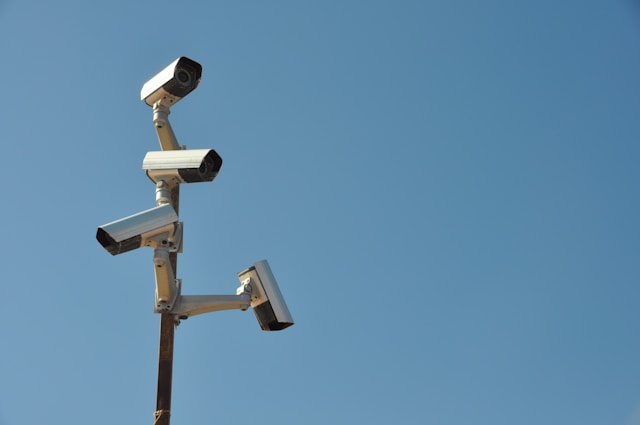
Reddit threads about managing remote teams are unanimous on one thing:
Keystroke trackers, screenshot monitors, and “productivity surveillance” software are a waste of money that destroy trust and drive your best people out.
I agree.
Mostly.
Here’s the nuance nobody talks about:
If you’re providing the equipment — if your IT department shipped them a company laptop, configured it, and they signed a policy acknowledging what’s on it — then install whatever you want.
That’s your hardware.
That’s company policy.
That’s fine.
But if your remote hire is an international contractor using their own equipment?
You can’t ask someone to install screen-tracking software on their personal laptop.
That’s not realistic, it’s borderline psychopathic.
And it tells them everything they need to know about how much you trust them.
Here’s what to do instead:
Set KPIs.
Real ones.
Not made-up numbers you pulled from a blog post.
Here’s how I do it:
I do the job myself first.
When I was hiring someone to format and publish our SEO articles, I sat down and timed myself doing one from scratch.
Adding internal links, formatting images, building the table of contents, all of it.
It took me 30 minutes — and I was narrating the SOP at the same time.
So now I know the baseline.
A new hire won’t be at 30 minutes on day one.
But after a few days of practice, they should be doing one per hour.
Over time, they should get close to my pace.
Maybe 45 minutes each.
And the KPI becomes: 10 articles formatted per day — 45 minutes each * 60 minutes = 450 minutes = 7.5 hours.
That’s measurable.
That’s fair.
That’s based on real data.
And when in doubt — the 80/20 rule.
If someone can do the job at 80% of your speed, that’s a win.
You’re buying back time you can spend on higher-value work.
You don’t need them to be you.
You need them to be competent and consistent.
Now, here’s where the KPI approach gets really powerful:
If someone hits their activity KPI — they’re making 100 calls a day, they’re formatting 14 articles, they’re processing 50 tickets — but the results aren’t there?
The calls aren’t converting.
The articles have errors.
The tickets are being closed without resolution.
That tells you exactly what’s wrong.
It’s not an effort problem.
It’s a skill problem.
Or a process problem.
Or a hiring problem.
And you can address it directly instead of staring at a screenshot of their desktop wondering if they’re “really working.”
- Surveillance tells you if someone is sitting at their computer.
- KPIs tell you if they’re producing value.
One of those matters.
One doesn’t.
The Timezone Question Everyone Overcomplicates
People act like timezones are like solving quantum physics.
They’re not.
But you do have to be honest about what you actually need.
Here’s the rule:
Don’t negotiate on the window.
If you need someone available from 9 AM to 5 PM Pacific, that’s 6 PM to 2 AM in Eastern Europe.
Don’t try to make that work.
You’ll end up with someone who’s exhausted, resentful, and doing their worst work during the hours you need them most.
Instead — hire someone in the timezone that fits.
LATAM talent covers US business hours naturally.
An Executive Assistant in Colombia or Argentina is on the same clock as New York or close to it.
No gymnastics required.
For roles where real-time overlap matters — Client Success Managers, Customer Service, Sales — timezone alignment is non-negotiable.
You need them online when your clients are online.
Period.
For roles where it doesn’t — Video Editors, Graphic Designers, Developers — you need a communication window, not a full overlap.
Maybe it’s two hours a day where they’re available for feedback and revision requests.
The rest of their schedule is theirs.
The mistake is treating every role the same.
And the bigger mistake is trying to stretch a 10-hour timezone gap across a role that requires constant collaboration.
Some combinations just don’t work.
Accept it early and hire accordingly.

Saved $200k by Hiring Global Talent
The Hire Is Half the Battle
Here’s the part I’ve been dancing around:
Half the remote management problems I see aren’t management problems at all.
They’re hiring problems.
You hired someone who can’t work independently.
Now you’re micromanaging them because you have to, and you think remote work is the issue.
It’s not.
The person is the issue.
You hired someone without clear KPIs.
Now you don’t know if they’re working or not, so you’re thinking about installing tracking software.
The tracking software isn’t the answer.
The KPIs are the answer — and they should have existed before you ever made the hire.
You onboarded someone with a Slack invite and a prayer.
Now they’re floundering, and you’re wondering why this remote thing is so hard.
It’s not hard.
You just didn’t build the runway.
Managing a remote team is not fundamentally different from managing an in-office team.
The principles are the same:
- Clear expectations.
- Measurable output.
- Regular communication.
- Accountability structures that don’t rely on someone seeing you sit at your desk for eight hours.
The difference is that in an office, half of this happens by accident.
You overhear things.
You bump into people.
You catch problems early because you see someone’s face and realize they’re confused.
Remotely, none of that happens unless you build it.
- The daily huddle.
- The first-month checklist.
- The conversation recap.
- The severity levels.
- The KPIs.
All of it has to be intentional.
That seven-week boot camp at Hitachi wasn’t about distrusting the engineers.
It was about setting them up so thoroughly that by the time they hit the field, they didn’t need to be managed.
They already knew what to do.
That’s the goal with every remote hire.
Build the boot camp.
Run the first month like it matters — because it does.
Set the KPIs.
Create the communication architecture.
And then get out of their way and let them work.
If you’ve done all of that and it’s still not working — the problem isn’t the management.
The problem is the person.
And that’s a different conversation.
FAQs About Managing Remote Teams
How often should I meet with a remote team?
Daily standups during the first month for new hires (15-45 minutes depending on the role), then taper to three times per week, then weekly.
For the whole team: a daily or three-times-weekly standup for active work, plus a weekly one-hour department meeting.
One-on-ones with direct reports weekly or biweekly.
What’s the best communication tool for remote teams?
There isn’t one.
The tool doesn’t matter as much as the rules around it. Slack is fine if you have severity levels, a no-DMs-about-deliverables policy, and you use email for anything that involves a commitment or decision.
If you just install Slack and hope for the best, you’ll end up with a team that types all day and produces nothing.
Should I use tracking or monitoring software for remote employees?
If you’re providing company equipment — it’s your call and your policy.
If your remote hire is using their own equipment, especially internationally, don’t ask them to install tracking software. Set KPIs instead. Do the job yourself first, establish a real baseline, and measure output.
If the output is there, you don’t need to watch their screen.
How do I handle different time zones on a remote team?
Don’t negotiate on the window you need.
If a role requires 9-5 availability in your timezone, hire someone who’s already in that timezone or close to it.
For roles that don’t require constant overlap — creative, development, async project work — agree on a 2-4 hour daily window for communication and let them manage the rest.
How do I onboard a remote hire effectively?
Build a daily checklist for the first month.
Five tasks per day, concrete and reviewable. Meet daily for the first week. Require them to bring five questions per session — this forces engagement and builds the SOP for the role. Taper meeting frequency over the first month as trust builds.
The goal is to recreate the in-office shadowing experience, deliberately and on a schedule.
What’s the biggest mistake when managing remote teams?
Treating every remote management problem as a management problem.
Half the time, it’s a hiring problem — you brought on someone who can’t work independently.
The other half, it’s an onboarding problem — you gave them nothing and expected everything.
Fix those two things and the management part takes care of itself.